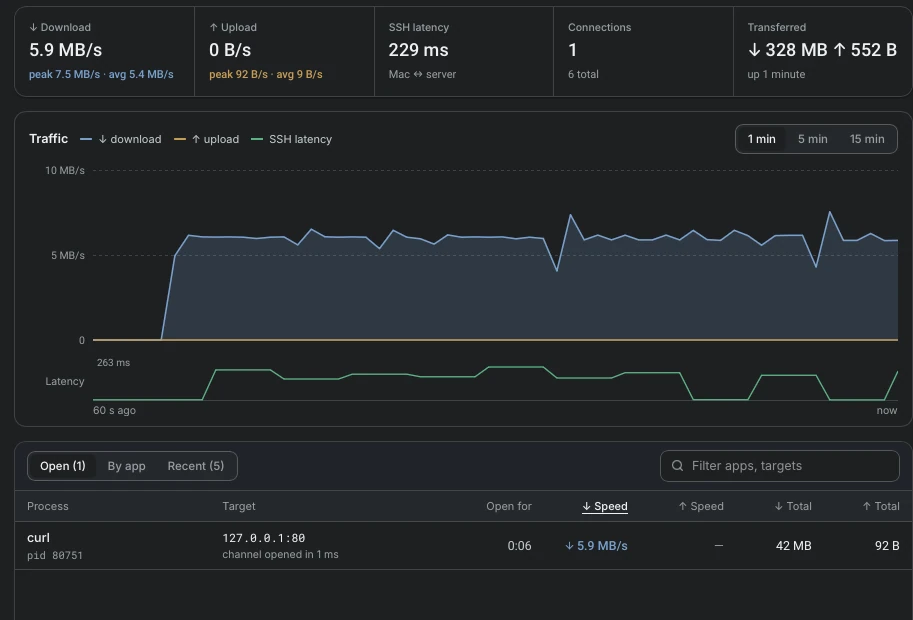
Tunnels with a live monitor
Throughput, latency and the local application behind every connection are shown in real time. Tunnels reconnect by themselves when the network drops.
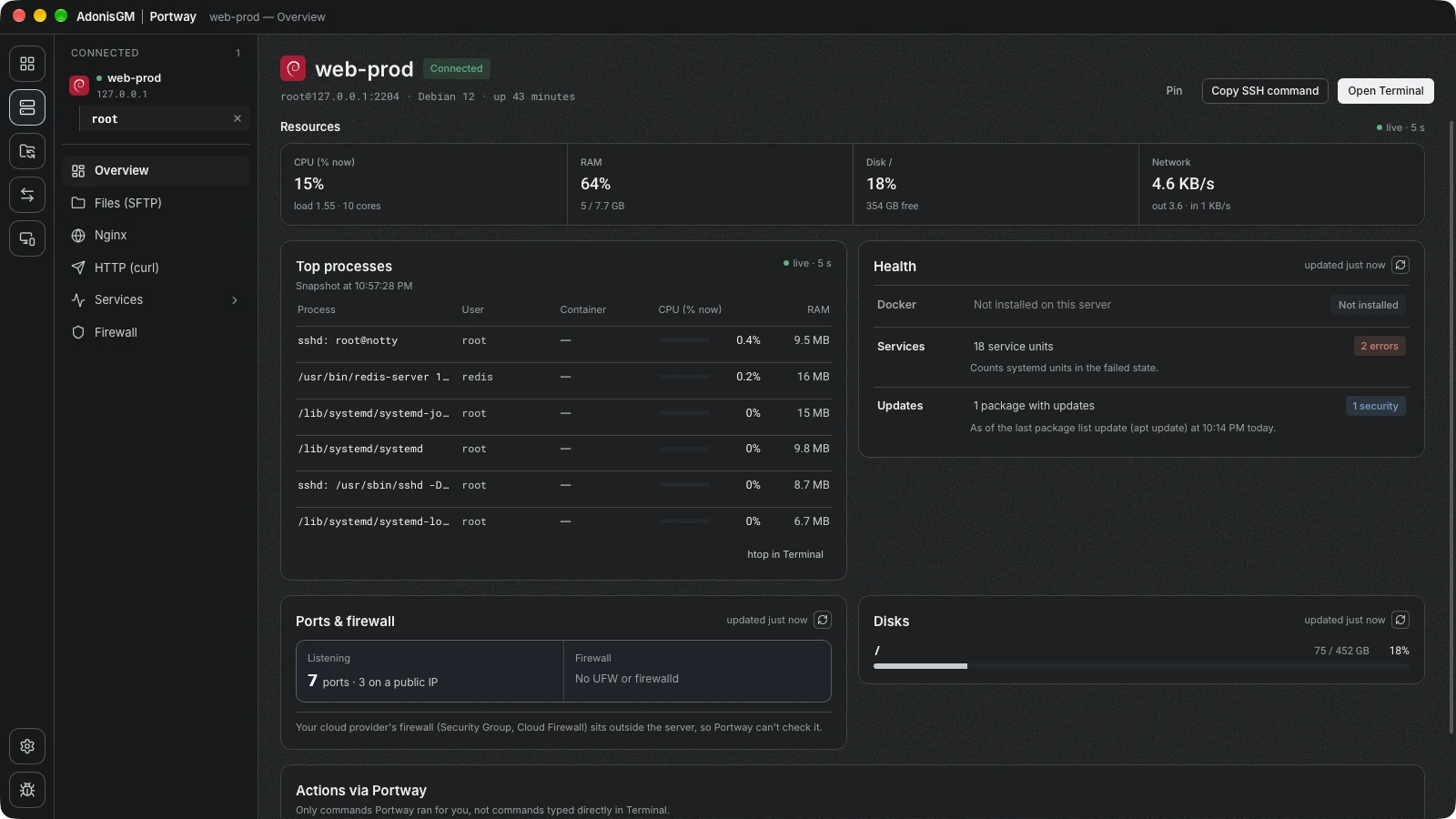
Portway connects over SSH, browses files, opens tunnels and manages services on many servers. No agent is installed on the server, and every change that Portway makes is written to an audit log.
macOS 11+ and Windows 10+ · Source code on GitHub
Features
Every image below is a screenshot of Portway connected to test servers.
Throughput, latency and the local application behind every connection are shown in real time. Tunnels reconnect by themselves when the network drops.
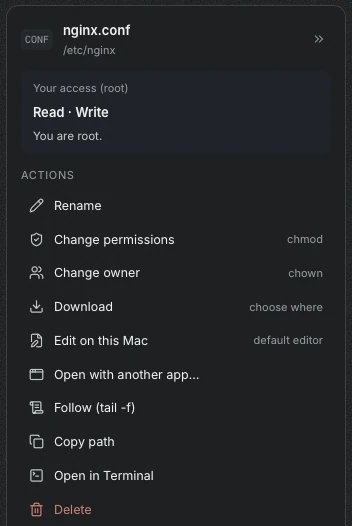
The access of the signed-in user is explained for each item. Every file offers rename, chmod, chown, download and editing in a local application.
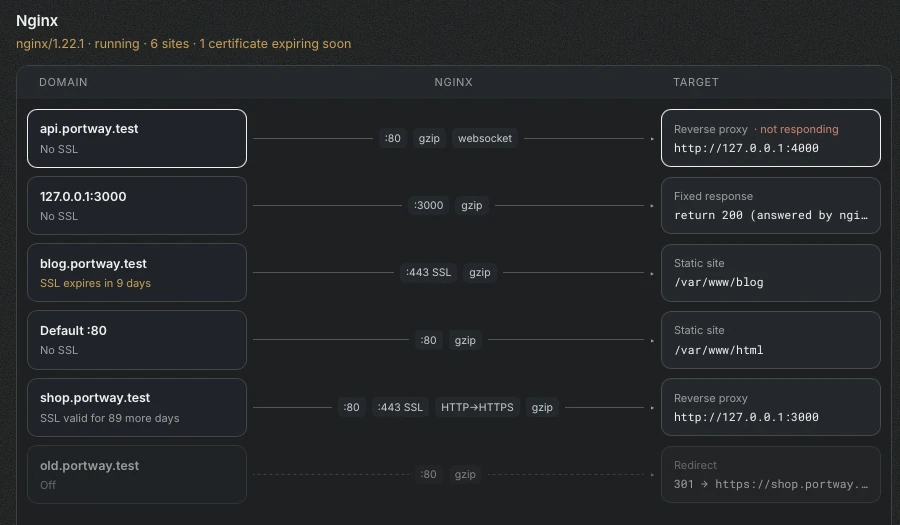
Each site is drawn from domain to target, with certificate expiry and upstream health. A change that breaks nginx -t is rolled back.
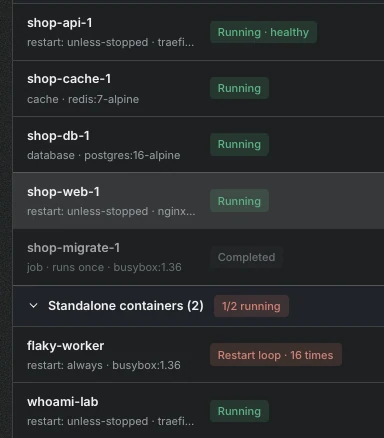
Ports that are reachable from outside are marked as public, and containers in a restart loop are easy to find.
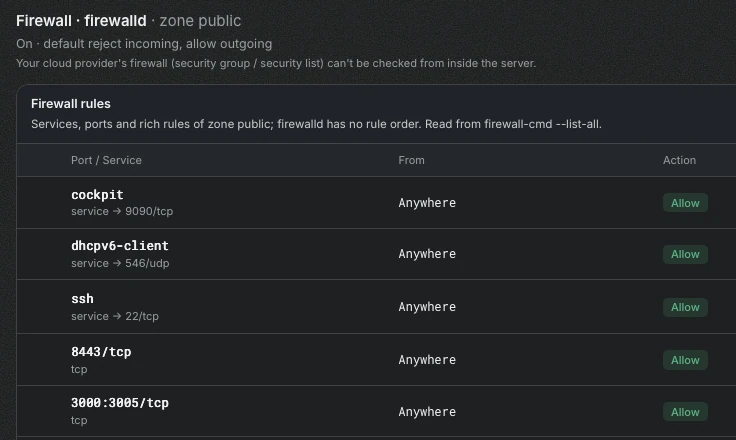
Rules of ufw or firewalld are compared with the ports that are really listening, so exposed and blocked services stand out.
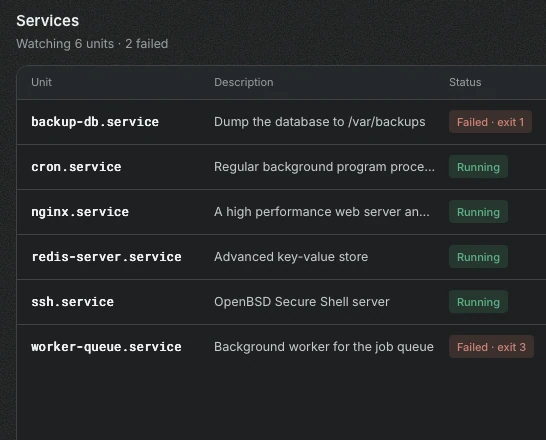
Status, start at boot, memory use and the journal of each watched unit, with restart and stop actions that show the exact command.
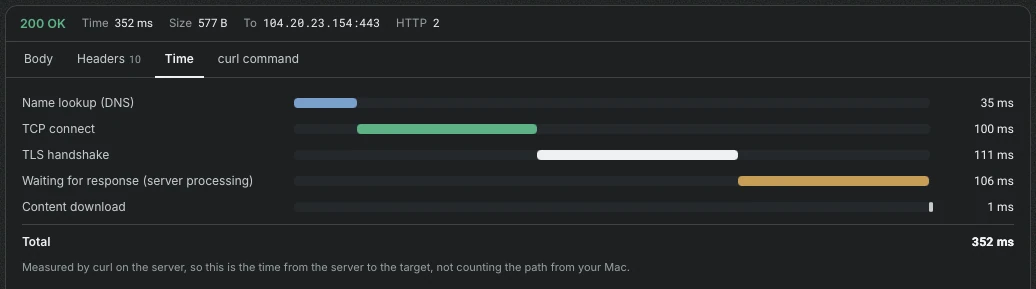
Requests run with curl on the server itself, so internal addresses can be reached. DNS, TCP, TLS and server time are measured separately.

Made for one person who works on two computers on the same network, such as a Mac and a Windows PC. It sends files, shares the clipboard and wakes the other computer. It is not for sharing between different people, and it is off by default.
Details
Servers that do not expose SSH are reached through a bastion, as with ssh -J.
An unknown or changed host key always requires confirmation, based on ~/.ssh/known_hosts.
Existing hosts and ProxyJump settings are imported.
A two-pane view copies files from one server to another through this computer.
Terminal opens with the matching ssh command for the selected server.
Log files are followed in real time, in the same way as tail -f.
Each server can hold several accounts that use a password or an SSH key.
The interface follows the system theme or a manual choice.
Transparency and safety
Portway uses tools that already exist on the server, such as sftp, systemctl, docker and nginx. Changes made by Portway are written to an audit log together with their result. Commands typed in a terminal are not part of that log.
Passwords and passphrases are kept in the Keychain on macOS and in Credential Manager on Windows, never in configuration files.
The sudo password is passed through standard input and does not appear in a command line or in the log.
No account and no relay server are involved. Configuration is stored on the local computer only.
Download
Get the latest build from GitHub Releases.
Target servers: Linux with OpenSSH. Nothing else needs to be installed. · Build from source