Settings
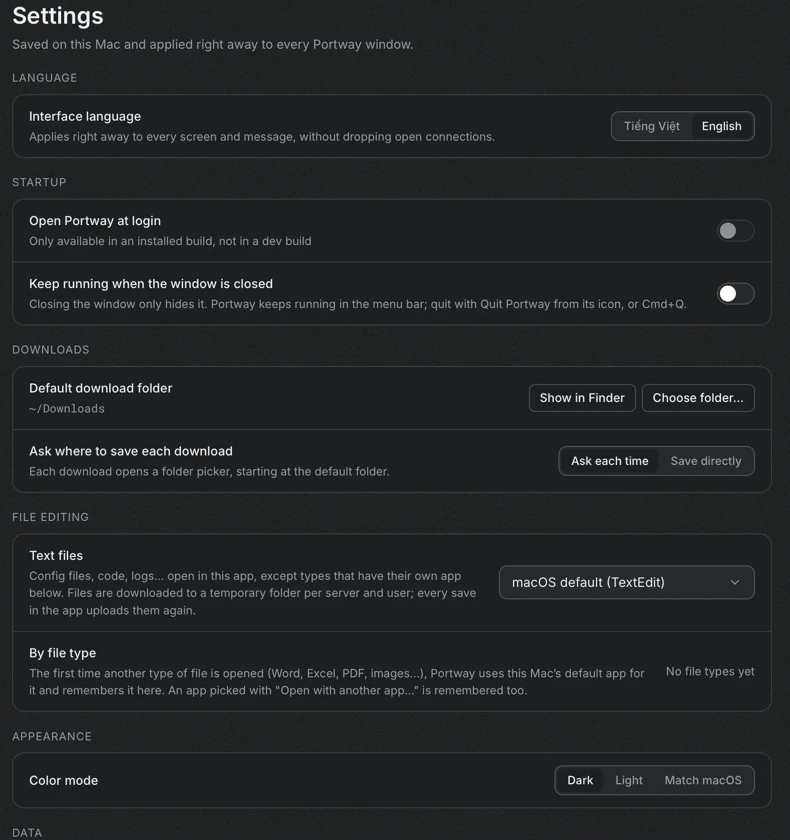
Open Settings with the gear icon at the bottom of the icon rail. Settings are saved on this computer and apply immediately to every Portway window.
Language
Section titled “Language”Choose Tiếng Việt or English. The change applies to every screen and message at once, and open connections stay open. English is the default.
Startup
Section titled “Startup”| Setting | Effect |
|---|---|
| Open Portway at login | Starts Portway hidden in the system tray or menu bar when the user signs in. Available only in an installed build |
| Keep running when the window is closed | Closing the window only hides it, and Portway keeps running in the tray or the menu bar. Quit from the icon of the application, or with Cmd+Q on macOS. Turned on automatically together with the first setting |
Connect answers other computers only while Portway runs, so these settings matter when Connect is used.
On Windows, Portway starts when the user signs in, not when the computer starts. Announce before sign-in installs a small Windows service that tells other computers that this one is on before anyone has signed in, for example after a Wake-on-LAN. It only announces. It cannot connect or transfer anything until someone signs in. Installing or removing it needs administrator permission and shows the confirmation of Windows. The section shows whether the service is running, installed or not installed.
Downloads
Section titled “Downloads”- Default download folder is
~/Downloadsunless another folder is chosen. Show in Finder reveals it, and Choose folder changes it. - Ask where to save each download chooses between Ask each time, which opens a folder picker that starts in the default folder, and Save directly, which writes files into the default folder and gives duplicate names a suffix such as
(1).
File editing
Section titled “File editing”- Text files are opened in the application that is chosen here, which defaults to the default text editor of the system. Files are downloaded into a temporary folder for each server and user, and every save uploads them again.
- By file type lists the applications that Portway remembers for other kinds of files, such as Word, Excel, PDF and images. The first time such a type is opened, Portway uses the default application of the system and remembers it. Change picks another application, and Remove makes Portway use the system default again. See Edit files locally.
Appearance
Section titled “Appearance”Color mode is Dark, Light or Match macOS. Dark is the default.
- Server list exports the saved servers to a file, and imports them from a file. The exported file contains host, port, user, group, tags, notes and key paths. Passwords and passphrases stay in the Keychain of this computer.
- Data folder shows where Portway keeps its files. See Security and data.
The last section shows the version of Portway.