systemd services
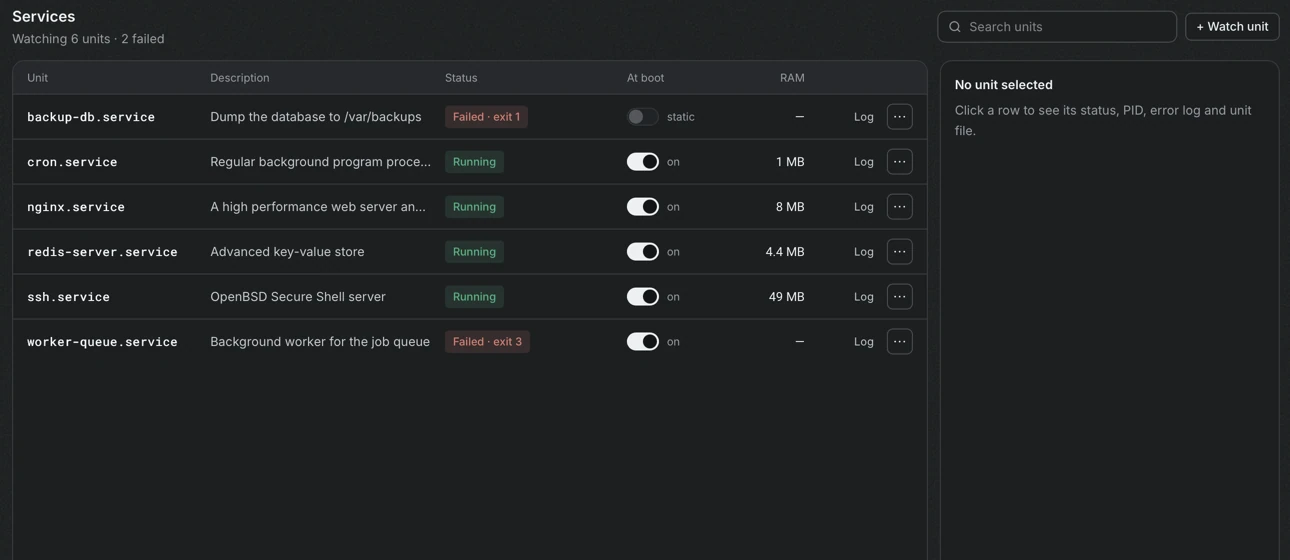
The Services section appears for servers that use systemd. Instead of listing hundreds of units, Portway shows the ones that are chosen to be watched, so the screen answers the question whether the services that matter are healthy.
Choose what to watch
Section titled “Choose what to watch”On first use Portway selects the units that have failed, together with common ones such as web servers, databases, redis, ssh, cron, fail2ban and docker. Watch unit opens a search over the service units of the server, for example postgres or redis, and Stop watching in the menu of a row removes a unit from the list. The header counts the watched units and how many have failed.
Reading the list
Section titled “Reading the list”| Column | Content |
|---|---|
| Unit | The name of the service unit |
| Description | The description from the unit file |
| Status | Running, Not running, Starting, Stopping, Reloading, Completed, or a failure such as Failed · exit 3, Failed · killed, Failed · timed out or Failed · restarted too often |
| At boot | Whether the unit starts when the server boots |
| RAM | The memory that the unit uses |
A unit that is restarting by itself is shown with the number of restarts. The state masked marks a unit that is blocked until it is unmasked. For the column At boot, static means that the unit has no [Install] section and runs only when another unit starts it, and indirect means that it is enabled through another unit.
Details of a unit
Section titled “Details of a unit”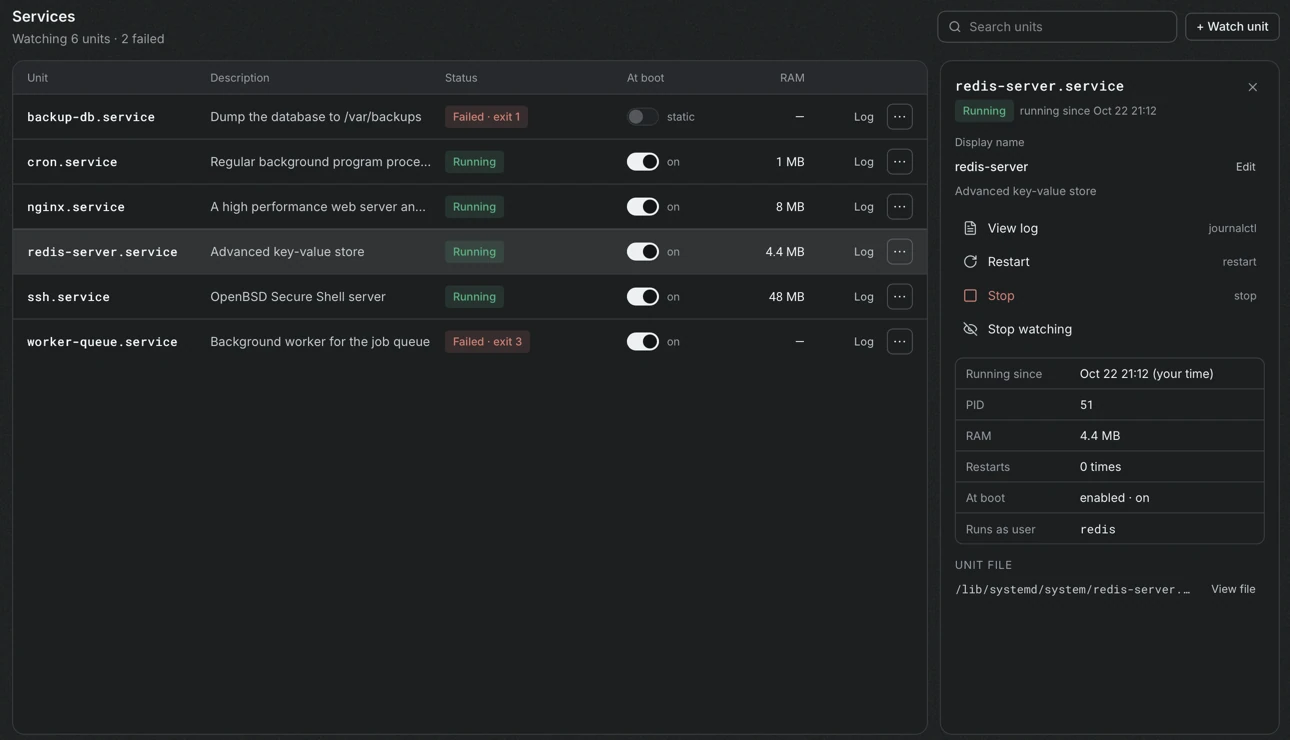
The side panel shows the running time, the process number, the memory, the number of restarts, the start at boot and the user that runs the unit. Display name can be edited, which only changes the label in Portway. View file shows the unit file, and View log opens the journal of the unit with the filters All, Warnings + errors and Errors, a text filter, and Follow live. A failed unit offers Clear failed state.
The journal can be read only by root or by users in the systemd-journal or adm group. For other users Portway states that, and turning on sudo fixes it.
Start, stop, restart and boot
Section titled “Start, stop, restart and boot”Each unit has Restart, Stop and, when it is stopped, Start. Changes need root or sudo, because systemctl would otherwise ask polkit, which has no one to answer over SSH. The switch in At boot enables or disables the unit and needs the same rights.
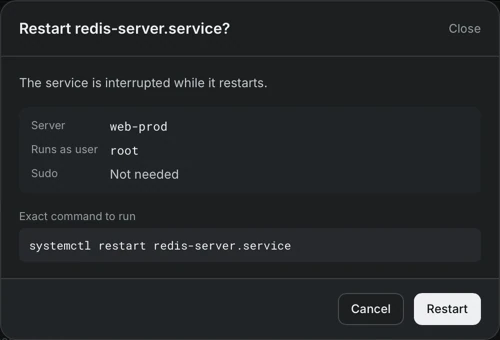
The confirmation explains the effect, and the explanation depends on the unit.
- Restarting
dockerstops all containers and starts them again according to their restart policy. - Stopping
nginxstops every website that it serves. - Stopping a database or a cache makes the applications that use it fail until it runs again.
- Restarting
sshkeeps open sessions, but a brokensshdconfiguration can make it impossible to connect again.
Stopping the SSH service needs an extra step: the name of the unit must be typed, and the dialog states that Portway itself uses SSH to reach the server. Do it only when another way into the server exists, such as the console of the provider.